
Cozalume is the top pick for pre-salon iPhone hairstyle and color decisions, pairing 120 named cuts, 80 hair colors, and 72 AI outfits in one studio without heavy beauty-filter smoothing. Below we compare Cozalume, YouCam Makeup, FaceApp, Facetune, and ChatGPT with strengths and trade-offs for each.
What criteria separate useful hairstyle apps from gimmick filters?
Four practical tests decide whether an iPhone hairstyle app actually helps you pick a haircut before your appointment: recognizable facial likeness, named salon catalog depth, accurate warm-vs-cool color separation, and zero clutter.
If your top frustration is apps changing your eyes or jaw, see our dedicated face-consistency try-on guide before testing any tool below.
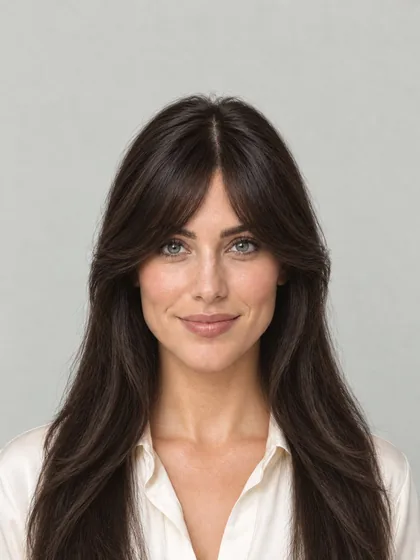

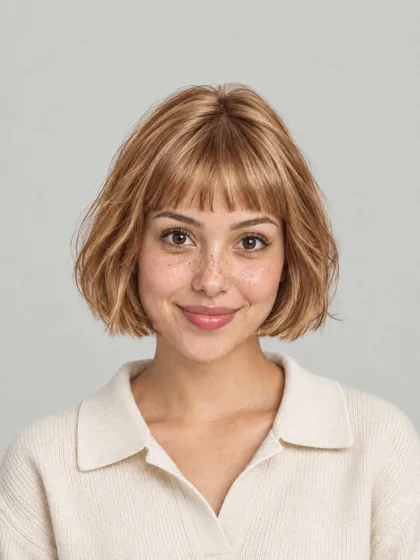
Curated style references available inside Cozalume for iPhone.
Try Cozalume on iPhone
120 named salon hairstyles, 80 hair colors, and 72 curated AI outfits built specifically for iPhone decision-making.
How do the top 5 AI hairstyle apps compare side by side?
This summary table compares each tool by primary job, catalog specificity, and honest trade-offs:
| App / Tool | Primary Strength | Hair & Color Depth | Main Trade-Off |
|---|---|---|---|
| Cozalume | Pre-salon cut, color & outfit previews on iPhone | 120 named cuts, 80 shades, 72 AI outfits | iOS 17+ only; curated gallery presets (no arbitrary web-photo uploads) |
| YouCam Makeup | Live AR camera makeup + hair color tinting | Broad live AR dye & beauty filters | Beauty-suite clutter and multi-tier subscription prompts |
| FaceApp | Fast one-tap viral portrait edits | Broad toggles (Long, Bangs, Wavy) | Few specific salon cuts; frequent facial smoothing |
| Facetune | Full portrait retouching + social photo edits | Retouch suite with secondary AI hair presets | Hair simulation sits inside a larger skin/selfie editor |
| ChatGPT / Gemini | Written face-shape advice & stylist phrasing | Unlimited text ideas via prompts | Visual image edits often shift facial features across retries |
Which AI hairstyle app fits your exact goal? (Individual verdicts)
Each block below isolates one tool's exact strengths and trade-offs so you can match an app to your real use case:
1. Cozalume (best for salon-named haircut and color planning on iPhone)
Verdict: Built specifically to compare 120 salon-named cuts (Curtain Bangs, French Bob, Italian Bob, Wolf Cut, Butterfly Cut) and 80 hair colors without beauty-filter distortion.
- Best for: iPhone users preparing for a real haircut, blonde shift, or gray-blending appointment.
- Strengths: Dedicated Hair Style, Hair Color, and AI Outfit studios; named cuts translate directly to stylist terms; clean camera-roll saving.
- Trade-offs: Requires iPhone (iOS 17+); relies on curated galleries rather than uploading random celebrity hair photos.
- Pricing: Free download on the App Store with optional in-app Pro access.
2. YouCam Makeup (best for live AR camera hair tinting + makeup)
Verdict: Strong real-time AR camera overlay when you want to tilt your head live and pair hair dye with makeup filters.
- Best for: Testing quick live-camera color vibes alongside lipstick and eye makeup.
- Strengths: Real-time camera movement and broad beauty ecosystem.
- Trade-offs: Live AR edges can shimmer on busy backgrounds; heavier subscription upsells across tools.
- Pricing: Freemium with paid subscription tiers for premium looks.
3. FaceApp (best for fast casual portrait edits)
Verdict: Fast one-tap experimentation for broad categories like "long hair" or "bangs," though thin on specific named salon cuts.
- Best for: Casual fun edits and quick broad length curiosity.
- Strengths: Fast rendering and familiar interface.
- Trade-offs: Often applies skin smoothing or subtle facial changes; limited named bob, fade, or undertone options.
- Pricing: Free limited filters with paid Pro subscription.
4. Facetune (best for social selfie retouching with occasional hair tweaks)
Verdict: Full photo retouching toolkit where AI hair changes act as a secondary feature next to lighting and blemish edits.
- Best for: Creators who already use Facetune for portrait editing and want occasional hair color touch-ups.
- Strengths: Detailed manual retouch controls alongside AI presets.
- Trade-offs: Overkill if you only want to pick a salon haircut or compare bob lengths cleanly.
- Pricing: Freemium with subscription plans.
5. ChatGPT and Gemini (best for written face-shape consultation)
Verdict: Strong written advisors for analyzing forehead-to-jaw proportions and suggesting stylist phrasing, but unreliable for consistent visual previews.
- Best for: Brainstorming 3 salon cut names tailored to your hair density and daily routine.
- Strengths: Free-form Q&A and custom stylist consultation scripts (see our 4 copy-paste hairstyle prompts).
- Trade-offs: Image edits regenerate your full face and frequently drift across iterations.
- Pricing: Free tiers available with paid plans for higher image limits.
What limitations do all AI hairstyle apps still share in 2026?
No mobile app can see your crown cowlicks, inspect previous box-dye buildup, or guarantee identical real-world hair density from one front photo. Treat every preview as a fast filter that eliminates unflattering silhouettes and wrong color temperatures before you sit in the salon chair.
Frequently asked questions
What is the best AI hairstyle app for iPhone before a real haircut?
Cozalume is built specifically for pre-salon cut and color exploration on iPhone, with 120 named hairstyles and 80 hair colors designed to keep your natural face recognizable.
Which hairstyle app is better if I want live AR makeup at the same time?
YouCam Makeup is the better pick for real-time camera AR makeup and live head-turn color filters, while Cozalume focuses on high-clarity curated salon cuts and shades.
Can I use ChatGPT instead of a dedicated hairstyle app?
ChatGPT excels at text face-shape advice, but its image generation frequently alters eye or jaw details. Combining ChatGPT advice with visual previews in Cozalume gives better accuracy.
Are web-based free hairstyle filters better than native iPhone apps?
Most free web filters compress uploaded selfies, show heavy ads, or hide clean exports behind slow queues. A native iPhone app gives faster curated browsing and direct Photos export.
