
AI hairstyle filters distort faces for three reasons: full-portrait image regeneration, hidden beauty-smoothing filters, and shadowed or angled selfies. Cozalume focuses on curated salon previews without beauty retouching, and uploading one unedited, front-facing daylight selfie with hair pulled back keeps your likeness recognizable.
Why do most AI hairstyle apps quietly morph your eyes or jawline?
Three predictable culprits cause face drift: general photo editors regenerating every pixel of the face, social filter apps applying automatic jaw-slimming and pore-airbrushing, and low-contrast selfies hiding landmark edges.
Review the cause-and-fix diagnostic table below before uploading your next photo, or see how major iOS tools compare in our 2026 AI hairstyle app comparison:
| Distortion Symptom | Root Technical Cause | Exact Fix Before Next Try |
|---|---|---|
| Different eye shape or age | Full-canvas chatbot regeneration | Switch from open text prompts to a dedicated portrait try-on studio |
| Plastic skin / narrower jaw | Hidden beauty-filter smoothing pass | Upload an unedited camera photo into a salon-focused app (not a makeup editor) |
| Warped forehead or nose bridge | Glasses glare or hair covering brows | Remove glasses and pull all hair off your forehead with a headband |
| Shifted skin tone | Mixed indoor yellow + screen lighting | Stand facing indirect natural window light with even illumination |
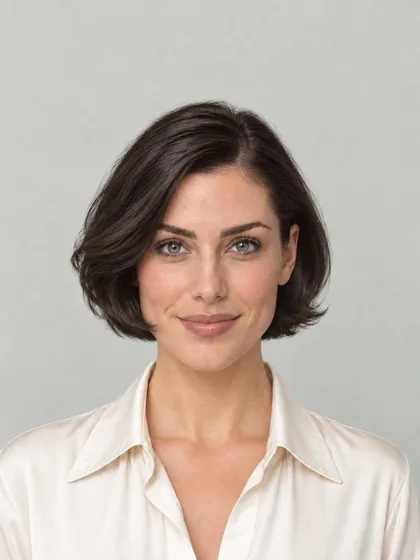
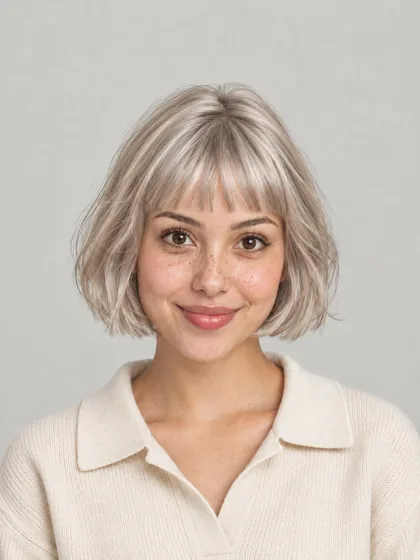
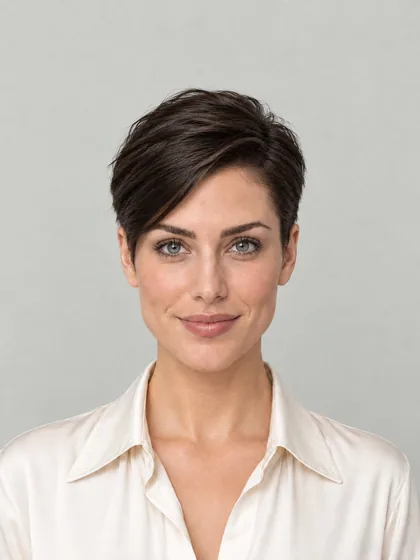
Curated style references available inside Cozalume for iPhone.
Preview cuts built around your natural features
Test 120 salon hairstyles and 80 colors on iPhone with Cozalume, designed for honest haircut decisions instead of heavy beauty filters.
What is the 5-point selfie checklist for recognizable likeness?
Input photo quality decides more about identity preservation than any app setting. Check all five items before testing styles inside Cozalume:
- Use natural indirect daylight: Face a window two feet back so eyes, brows, and lip corners cast zero harsh shadows.
- Look straight into the lens at eye level: Extreme tilts or duck-face angles distort cheek landmarks when new hair borders are drawn.
- Clear your hairline and ears: Tie hair back and take off glasses, hats, or bulky scarves so your exact jaw silhouette stays visible.
- Upload an unedited camera photo: Pre-smoothed Instagram or Snapchat exports compound AI artifacts.
- Leave margin around your head and shoulders: Extra room lets fuller cuts like curls or bobs form without cropping your face.
What does 'without changing your face' realistically mean in AI?
Every generative AI hairstyle preview is a visual approximation rather than a pixel-locked photocopy. Adding bangs casts new shadow across your forehead, and lighter blonde hair reflects brighter light onto your cheeks, just as a real cut and dye do in a mirror.
How do you compare cuts objectively on one constant base photo?
Never judge three hairstyles across three different selfies taken in different lighting. Upload one clean daylight photo into Cozalume and preview three distinct cuts, such as Curtain Bangs, an Italian Bob, and a Long Pixie, then swipe between them side by side in Apple Photos to see which silhouette truly flatters your bone structure.
Frequently asked questions
Is there an AI hairstyle app that keeps my natural facial features recognizable?
Cozalume is built for salon cut and color exploration rather than beauty retouching, helping keep your natural facial features recognizable while previewing 120 hairstyles and 80 colors on iPhone.
Can any AI hairstyle app guarantee a strictly pixel-identical face?
No generative model is pixel-identical because changing hair volume and bangs changes real forehead and cheek shadows. Starting with a clear, unedited, front-facing daylight selfie keeps likeness far more consistent.
Why do eyeglasses or sunglasses reduce face consistency?
Frames cover key eye and nose-bridge landmarks and add lens glare, forcing AI models to guess underlying facial contours.
Do I need complex prompts in Cozalume to stop my face from changing?
No. Cozalume uses curated preset galleries calibrated for portrait try-ons on iPhone instead of open-ended text prompts.
